

Most salon owners buy a POS the way they buy a car with a toddler screaming in the back seat: fast, under pressure, and based on whichever feature the salesperson leaned on hardest. For a salon doing maybe 5–8% of revenue in retail, that's survivable. For a retail-heavy salon — where product sales are pushing 20%, 25%, sometimes north of 30% of top-line — that same casual buying process quietly bleeds money every single month.
The problem isn't that these owners don't care about retail. It's that the POS and inventory tools they end up with were designed around appointments first, product second. And when retail is a serious profit center, "product second" shows up as shrinkage you can't trace, reorder points nobody trusts, and station-level margins you can't actually see.
This playbook is about fixing the buying decision before it happens — prioritizing features by how retail-intensive your salon really is, knowing exactly what to negotiate, and running a 12-month ROI model that connects vendor choice to the money each chair actually produces.
Start by scoring your retail intensity (because it changes everything)
Before you look at a single demo, you need an honest number: what percentage of your revenue is product, and how concentrated is it?
A salon doing $900k a year with $70k in retail is a very different buyer than a salon doing $600k with $180k in retail. The second one lives and dies on inventory accuracy. The first can tolerate a weaker inventory module if the booking and payment experience is solid.
| Retail intensity | Retail % of revenue | What the POS *must* nail | What you can compromise on |
|---|---|---|---|
| Light | Under 10% | Fast checkout, basic SKU tracking | Advanced reorder automation, vendor PO integration |
| Moderate | 10–20% | Reliable stock counts, markdown tracking, per-stylist retail attribution | Multi-warehouse logic, barcode hardware ecosystems |
| Heavy | 20–30% | Real-time inventory, automated reorder points, cost-of-goods reporting, shrinkage flags | Nothing in the retail stack — this is your profit engine |
| Retail-first | 30%+ | Everything above plus lot/batch tracking, promo engine, station-level retail P&L | You're basically a boutique with chairs |
The mistake that keeps showing up: a salon in the "heavy" tier buying a POS optimized for the "light" tier because the booking calendar looked cleaner. Six months later they're doing physical counts on a clipboard because the system's stock numbers drifted so far they stopped trusting them.
Your retail intensity score isn't just a label — it tells you which features are dealbreakers versus nice-to-haves. For a retail-first salon, weak cost-of-goods reporting should kill a deal on the spot. For a light salon, it shouldn't even crack the top ten.
Prioritize features by what they do to your margin, not your workflow
A lot of feature comparisons rank things by convenience — does it have a mobile app, does it sync to the calendar. Those matter, but they don't move margin. For retail-heavy salons, rank features by their direct effect on the numbers.
Stop losing appointments in the chaos.
Salnly helps you book, confirm & manage every appointment—efficiently.
- Centralized appointment management
- Client notifications
- Calendar & staff scheduling
No credit card required
-
Per-stylist and per-station retail attribution. If you can't see that chair 4 sold $2,100 in product last month and chair 2 sold $340, you can't coach, incentivize, or staff retail properly. This is the single most undervalued feature in salon POS buying.
-
Accurate real-time inventory with cost tracking. Not just "how many bottles" but "what did they cost me and what's my margin at current retail price." Without landed cost, your retail margin reports are fiction.
-
Automated reorder points tied to actual sell-through. Par levels that update based on velocity, not a number you set in 2022 and forgot about.
-
Shrinkage and variance flagging. The system should surface when physical counts don't match expected counts — and ideally flag when the gap appeared.
-
Markdown and promo handling. If you run back-bar clearances or bundle deals, the POS needs to track discounted margin, not just discounted price.
-
Vendor PO and receiving workflow. Being able to receive stock against a purchase order so quantities and costs flow in automatically, instead of someone hand-typing counts.
-
Checkout speed and payment flexibility. Important, but table stakes at this point — most systems handle this fine.
Notice checkout speed is near the bottom. That's deliberate. Every modern POS checks out fast. Almost none of them give you honest station-level retail margin out of the box. That gap is where the money hides.
If you want to see how station-level retail actually becomes repeatable once you have the data, we broke that down in detail in the station-level system for turning product displays into repeatable sales. The POS is what feeds that system — which is exactly why you prioritize attribution and inventory accuracy over the shiny stuff.
The negotiation points vendors hope you won't bring up
Once you've shortlisted based on features, the negotiation is where retail-heavy salons leave the most money on the table — because they focus on the monthly subscription and ignore everything else.
The subscription is rarely the expensive part. The expensive parts are the things that compound: payment processing rates, inventory module add-ons, hardware lock-in, and data portability.
-
Payment processing markup, in writing, as a blended effective rate. Don't accept "2.6% + 10¢." Ask them to show you the all-in effective rate on a sample month of your actual mix — chip, swipe, keyed, retail vs. service. For a salon processing $60k–$80k a month, a 0.3% difference adds up over a year.
-
Whether the inventory/retail module is included or a tier upgrade. Many vendors advertise one price, then the real retail features live two tiers up. Get the retail-feature tier priced before you fall in love.
-
Hardware independence. Can you use off-the-shelf barcode scanners and receipt printers, or are you locked into their proprietary hardware at a markup? Proprietary hardware is fine — until you need a replacement and it costs three times as much.
-
Onboarding and data migration cost. Especially importing your existing SKU list, costs, and vendor records. Ask if migration is included or billed hourly. "Billed hourly with a rough estimate" is a red flag.
-
Your data on exit. Can you export full transaction history, inventory movement, and cost data if you leave? Get the export format confirmed. Salons that can't cleanly leave a POS end up overpaying indefinitely because switching feels impossible.
-
Price lock duration. Lock your rate for as long as you can. SaaS pricing creeps, and "introductory rate" has a habit of expiring quietly.
One pattern worth naming: vendors negotiate hardest on the headline subscription number because that's what you anchor on, and give almost nothing on processing rates because that's where their recurring margin lives. Flip your attention. The processing rate is the number that actually scales with your revenue.
Build the 12-month ROI model (and tie it to station financials)
This is the part almost nobody does, and it's the part that separates a good purchase from an expensive mistake.
A proper ROI model for a retail-heavy salon doesn't ask "is this POS worth $X a month." It asks what the POS does to the money each station produces, net of all costs, over a full year. You're comparing the total cost of the system against the recoverable margin it unlocks.
The recoverable margin usually comes from four places:
-
Shrinkage reduction. Retail-heavy salons commonly run 2–5% shrinkage when inventory tracking is loose. Tightening that even to 1–2% on a salon doing $150k in retail is $3k–$6k recovered annually.
-
Fewer stockouts on high-margin SKUs. Every time a client wants the product and it's not on the shelf, you lose a near-100%-attach sale. Reliable reorder points recover a real slice of that.
-
Better retail attribution driving stylist behavior. When stylists see their own retail numbers, retail per visit tends to rise. Even a modest lift across a full team compounds fast.
-
Payment processing savings. A tighter negotiated rate is pure recovered margin, every month.
Then you subtract the real annual cost: subscription, processing above your old baseline (if any), hardware, onboarding, and the staff hours spent on migration.
A sample model
| Line item | Estimated annual impact |
|---|---|
| Shrinkage reduction (3.5% → ~1.5%) | +$3,200 |
| Recovered stockout sales (high-margin SKUs) | +$2,400 |
| Retail-per-visit lift from attribution | +$4,500 |
| Processing savings (2.85% → ~2.55% blended) | +$2,100 |
| Gross annual recovery | ~$12,200 |
| New POS subscription + retail tier | –$3,600 |
| Hardware + onboarding (year one) | –$1,800 |
| Net year-one benefit | ~$6,800 |
| Net year-two benefit (no setup costs) | ~$8,600 |
Those numbers are illustrative, not promises — your shrinkage, mix, and team behavior will move them around. But the structure is what matters. It forces you to connect a software decision to station-level financials instead of a gut feeling about which demo looked nicer.
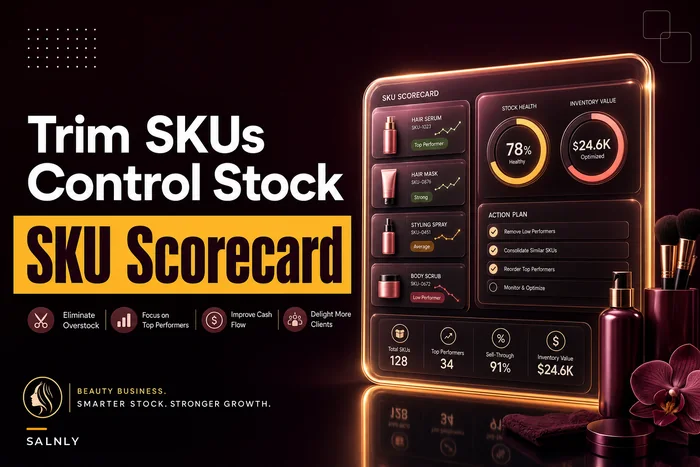
If you want to sharpen the station-level inputs feeding this model — break-even per chair, payroll decisions, cashflow — the per-station break-even and P&L playbook pairs directly with this ROI math. And your reorder points and vendor terms should be grounded in a real supplier review, which we covered in the supplier scorecard and SKU rationalization guide.
Downloadable 12-month ROI model: Build a simple spreadsheet with these rows — one tab for recovery estimates, one for costs, and a monthly cashflow row so you can see the breakeven month. Most retail-heavy salons hit net-positive somewhere between month 4 and month 8. If your model shows breakeven past month 12, either the vendor is overpriced for your intensity tier or you're overestimating the recovery.
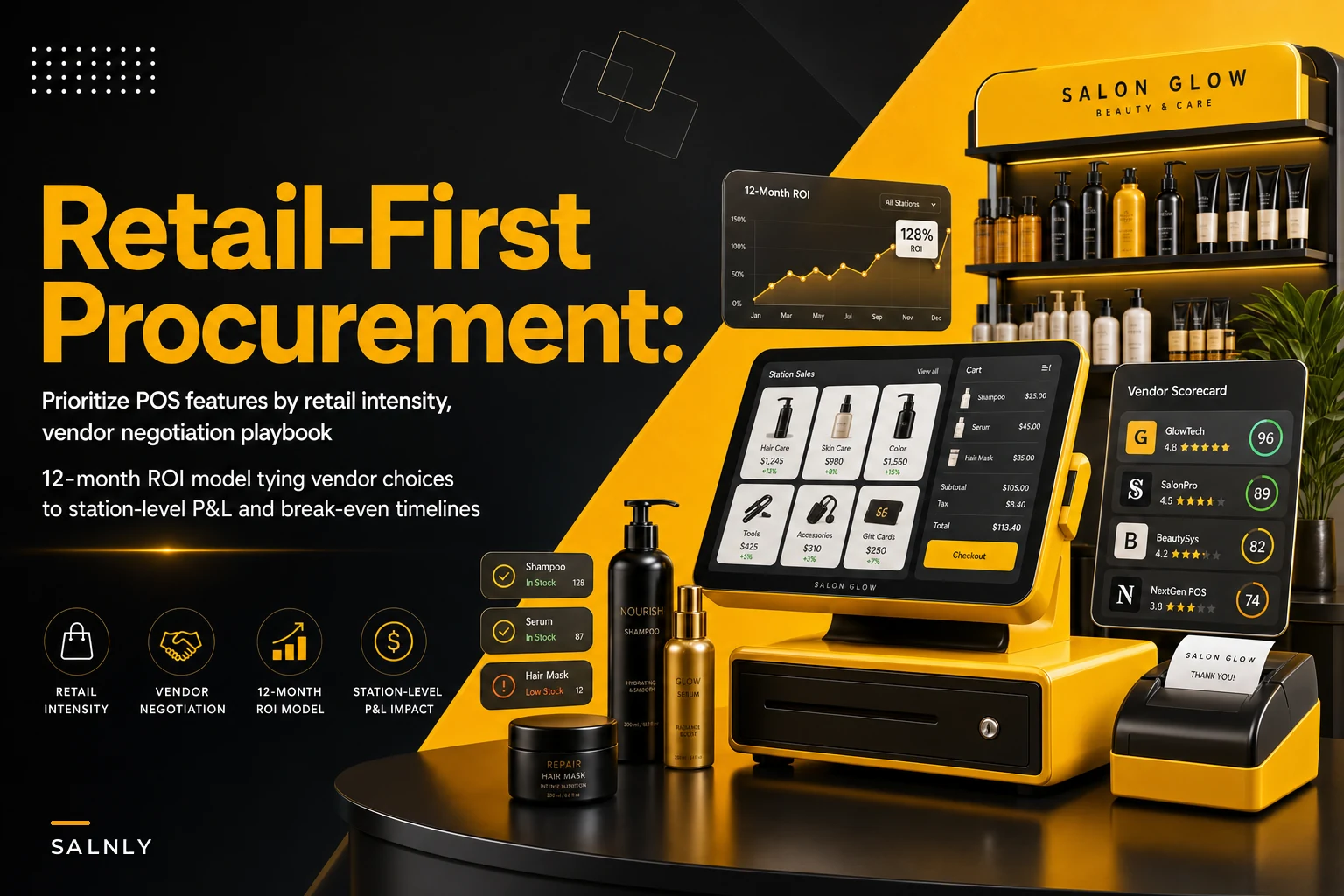
Here's a simple visual of the workflow that ties station-level sales and inventory data into the 12-month ROI model.
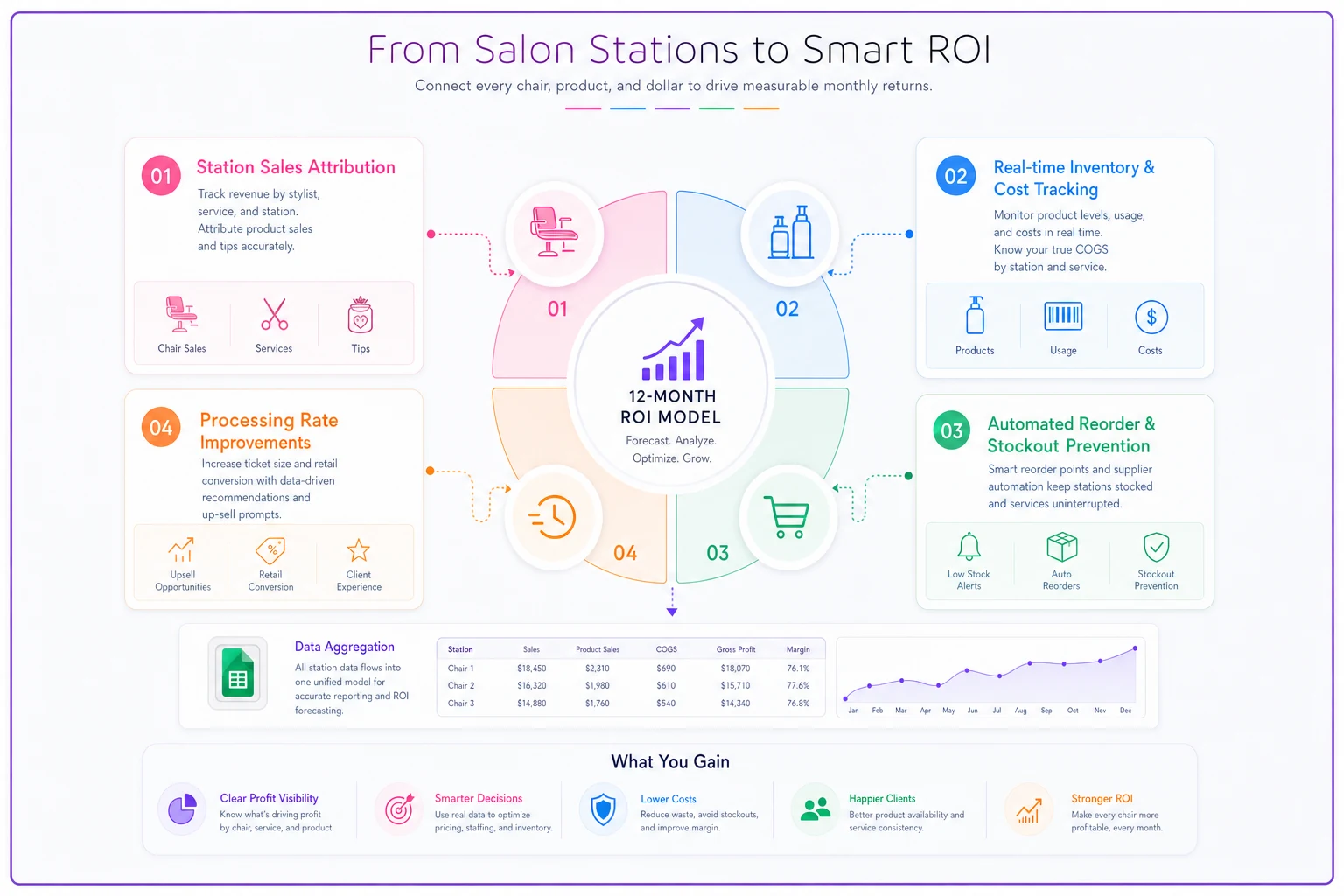
Use conservative recovery estimates so you don't overpay based on optimistic behavior changes.
Most retail-heavy salons hit net-positive somewhere between month 4 and month 8. If your model shows breakeven past month 12, either the vendor is overpriced for your intensity tier or you're overestimating the recovery.
Where inventory automation actually earns its keep
The honest version, without the hype: the retail features that move the ROI model aren't the flashy ones. They're the quiet ones that reduce manual counting and catch problems before they compound.
The genuinely useful automation in a retail-heavy salon POS does three unglamorous things: it keeps a running expected stock count against actual sales so variance surfaces early, it adjusts reorder suggestions based on real sell-through instead of a static par, and it flags the margin-killers automatically — the SKU that's been discounted so often it's barely profitable, the product that's moved zero units in 90 days but still ties up shelf space and cash.
That's where automated inventory tracking actually pays for itself: not by replacing your judgment, but by making sure the numbers you're working from are real. A platform that keeps inventory, station-level sales, and cost data connected in one place means the ROI model you built isn't a one-time exercise — you can watch it play out month to month and catch drift before it eats your margin.
The point isn't to buy the most automated system. It's to buy the one whose automation touches the four recovery levers in your ROI model, and skip paying for features that don't.
When this level of rigor makes sense — and when it doesn't
Do this full process if: retail is north of 15% of your revenue, you have three or more stations, or you're planning to grow retail deliberately. The money at stake easily justifies a few hours of modeling.
You can run a lighter version if: retail is under 10% and you're a single-chair or two-chair operation. You still want accurate checkout and basic SKU tracking, but a six-line ROI model for a $40k-retail salon is overkill. Prioritize booking and payment experience, and keep inventory simple.
Who should not rush this: anyone currently mid-migration or mid-rebuild of their service operations. Changing your POS and your core workflows at the same time is how both end up half-finished. Stabilize one, then tackle the other.
The owners who get burned are almost always the ones who treated a retail-heavy salon like a service salon that happens to sell a little product on the side. The buying criteria are genuinely different, and so is the money on the line.
The short version
If retail is a real part of how your salon makes money, your POS and inventory procurement deserves the same scrutiny you'd give a hiring decision or a lease.
Score your retail intensity honestly. Rank features by margin impact, not demo polish. Negotiate the processing rate and the retail tier, not just the headline subscription. And run the 12-month model so you're buying against station-level numbers instead of a sales pitch.
Do that, and you stop guessing whether a system is worth it — you'll know the breakeven month before you ever sign.
Ready to simplify your salon operations?
Join 1,000+ salons using Salnly to save time, reduce scheduling chaos, and deliver better client experiences.