

Most salon owners don't switch software because they found something better. They switch because the thing they're on finally broke their patience — a double-booked bridal party, a payroll export that took three hours to reconcile, a "known issue" support kept promising to fix. By the time you're actually shopping, you're annoyed, rushed, and vulnerable to a slick demo.
That's the worst possible headspace for a five-year decision. Switching salon and spa software isn't like changing your coffee vendor. Your entire client history, appointment logic, payroll rules, and retail inventory live in it. Get it wrong and you'll feel the drag every single day.
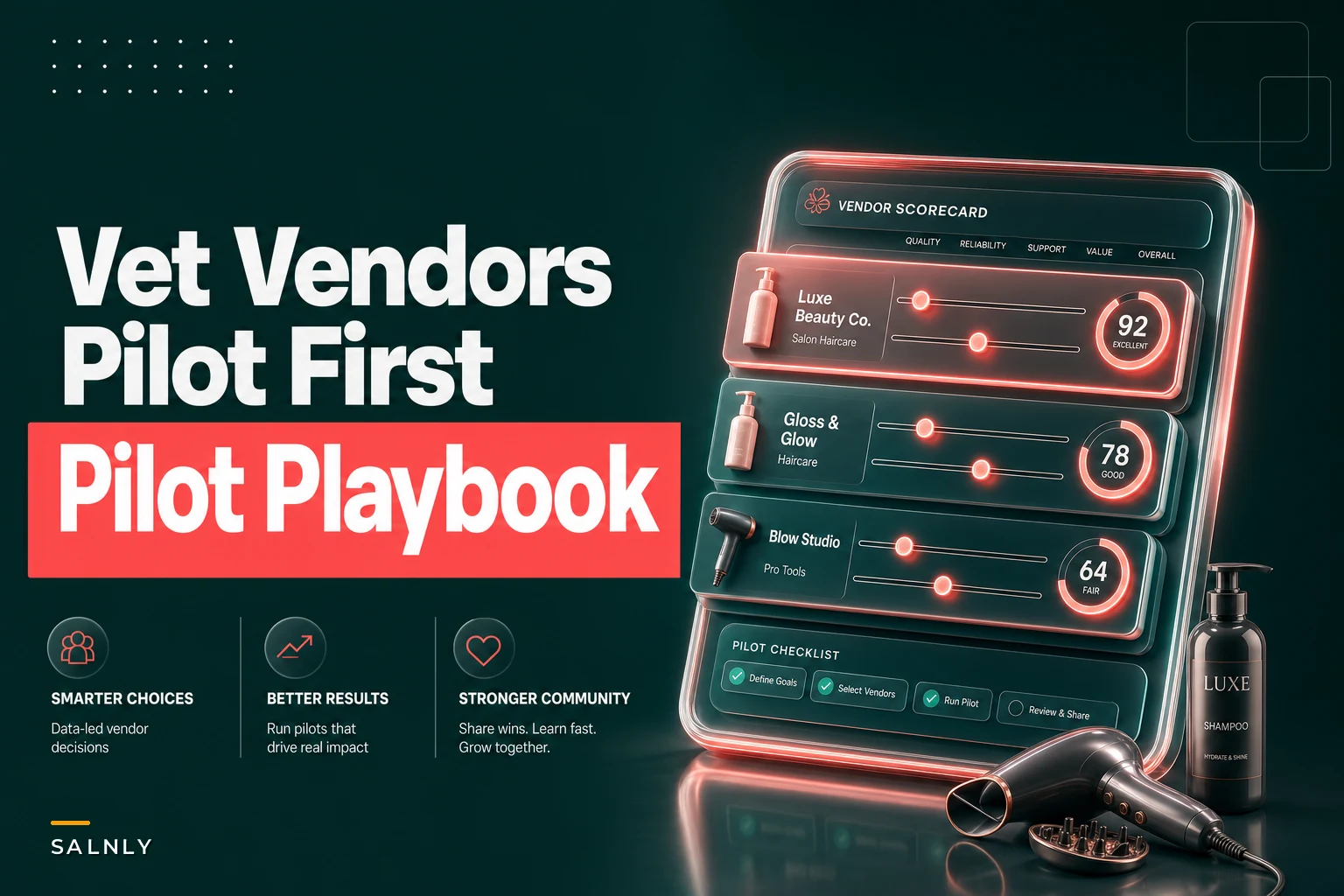
This guide is built to slow you down in the right places. It's a checklist, a scorecard, a list of questions vendors hope you won't ask, and a 30-day pilot plan to prove fit before you migrate everything. No feature worship, no "revolutionary platform" language — just how to actually decide.
Start with your constraints, not the feature list
The mistake almost everyone makes is opening five vendor websites and comparing feature grids. Every modern platform will check most boxes. The grid tells you almost nothing about whether it fits your operation.
Write down three things before you look at a single demo:
-
Your non-negotiables — the two or three workflows that, if they break, your day falls apart. For a color-heavy salon that might be formula tracking and timed processing. For a spa it might be room-and-resource scheduling. For a barbershop it's fast walk-in flow and tip handling.
-
Your business size and trajectory — one location staying one location has completely different needs than a two-shop owner planning a third next year.
-
The pain you're leaving behind — be specific. "Reporting is bad" is useless. "I can't see rebook rate by stylist without exporting to a spreadsheet" is an actual requirement.
A typical example: an owner insists she needs "better marketing tools," switches platforms for the email builder, and six months later realizes the new system can't handle her resource-based spa scheduling — the thing that actually runs her business. She chased a nice-to-have and broke a must-have. It happens more than you'd think.
The prioritized feature checklist (must-have vs nice-to-have by size)
Not every feature matters equally, and what matters changes with how many chairs and locations you run.
Stop losing appointments in the chaos.
Salnly helps you book, confirm & manage every appointment—efficiently.
- Centralized appointment management
- Client notifications
- Calendar & staff scheduling
No credit card required
| Feature area | Solo / 1 location | Small (2–4 locations) | Multi (5+ locations) |
|---|---|---|---|
| Online booking + calendar | Must | Must | Must |
| Automated confirmations/reminders | Must | Must | Must |
| Card processing + tip handling | Must | Must | Must |
| Service duration & buffer logic | Must | Must | Must |
| Client history + notes/formulas | Must | Must | Must |
| Deposits / cancellation rules | Nice | Must | Must |
| Room/resource scheduling (spa) | Depends | Must | Must |
| Cross-location reporting | N/A | Must | Must |
| Centralized client database | N/A | Must | Must |
| Role-based permissions | Nice | Must | Must |
| Inventory / backbar tracking | Nice | Must | Must |
| Payroll/commission by rules | Nice | Must | Must |
| Membership/package management | Depends | Nice | Must |
| Multi-location gift card redemption | N/A | Nice | Must |
| Open API / integrations | Nice | Nice | Must |
| Custom reporting / data export | Nice | Nice | Must |
A few places where owners consistently get this wrong:
-
Solo owners over-buy. You don't need enterprise reporting for one chair.
-
The 2–4 location range is where centralization stops being optional. The moment a client can book at two of your shops, you need one record across both — otherwise your data quietly rots.
-
Multi-location owners should treat the API and data export as must-haves, even if you're not using them today.
Pay for booking, reminders, payments, and clean client records. Everything else is negotiable.
This is exactly the mess covered in customer data consolidation for multi‑location salons, and it's worth reading before you buy, not after.
At five-plus shops you will eventually need to pull data into another tool. A locked platform becomes a ceiling.
A weighted scorecard you can actually fill out
Feature checklists tell you if something exists. A weighted scorecard tells you how much you care. That's the difference between "it has reporting" and "its reporting is good enough that I'd stop exporting to Excel."
| Category | Weight | Vendor A (1–5) | Vendor B (1–5) |
|---|---|---|---|
| Core scheduling fit | 20 | ||
| Client records & history | 15 | ||
| Payments & payroll | 15 | ||
| Reporting you'll actually use | 12 | ||
| Ease of daily use for staff | 12 | ||
| Migration / data import quality | 10 | ||
| Support responsiveness | 8 | ||
| Pricing & contract flexibility | 8 |
The point isn't the exact number — it's that the process forces you to admit what matters. If you find yourself weighting "marketing tools" at 20 while "ease of daily use for staff" sits at 5, that's worth pausing on. Staff adoption kills more software rollouts than missing features do.
One adjustment worth making: score "ease of daily use" by watching an actual stylist click through a booking, not by watching the sales rep do it. Reps know every shortcut. Your front desk on a Saturday does not.
The vendor questions that actually reveal things
Sales demos are choreographed. You break that by asking operational questions the rep can't answer with a slide.
-
"Show me how I'd fix a booking a client made in the wrong service." Watch how many clicks it takes. Daily friction lives in exactly this kind of thing.
-
"What exactly comes over in migration, and what doesn't?" Get it in writing. "Client history" can mean names only, or it can mean full appointment history and formulas. Huge difference.
-
"When you say unlimited SMS, what's the actual cost per message or the fair-use cap?" Reminder texting adds up fast at volume.
-
"What happens to my data if I leave?" A vendor that can't cleanly export your data is telling you something important.
-
"What's your average support response time, and is phone support included or extra?" Then test it during the trial by submitting a real ticket.
-
"Which features are on my current plan vs. an upgrade tier?" Demos often show premium features that aren't in the price you were quoted.
-
"How do price increases work at renewal?" Ask for the last two years of increases if they'll share.
If a rep gets vague, defensive, or keeps redirecting you to a specialist, note it. Pre-sale is when they are the most attentive they will ever be. It doesn't get better after you sign.
Integration and data migration — the part everyone underestimates
Migration is where switches go sideways. The software can be a great fit and the transition can still be a disaster if the data comes over dirty.
-
Inventory what you're moving. Client records, appointment history, gift card and package balances, memberships, inventory counts, formulas and notes. Each migrates differently — and some don't migrate at all.
-
Gift card and prepaid balances are the landmine. If those don't transfer cleanly, you're either eating the liability or explaining to a loyal client why her $200 balance disappeared. Confirm exactly how balances come over.
-
Duplicates multiply during import. If your current data has the same client entered three times, a naive import creates three records in the new system. Cleaning happens before migration, not after.
-
Integrations you rely on — accounting, payroll, marketing — need confirming individually. "We integrate with QuickBooks" can mean a deep sync or a clunky CSV export. Ask which.
The change-management side of a software switch is also where most rollouts quietly stall. New software is a new SOP whether you frame it that way or not, and the 8-week SOP rollout playbook applies directly to getting staff to actually use the new thing.
Pricing negotiation: what's actually flexible
Salon software pricing is more negotiable than the website implies, especially with multiple locations or real appointment volume.
-
Onboarding and setup fees are frequently waived if you ask, particularly near the end of their sales quarter.
-
Per-location pricing — multi-location owners can usually negotiate below sticker.
-
Contract length vs. discount — they'll trade a longer term for a lower rate, but be careful trading flexibility for a small discount before you've validated fit.
-
Payment processing rates — if the platform bundles payments, the rate is often negotiable at volume. A salon running roughly $40k–$60k a month through the system has real leverage here.
-
Price locks — ask for a rate lock for the contract term. Renewal jumps of 10–20% are common and quietly erode the deal you thought you got.
What rarely moves: core per-user or per-plan pricing on a single-location account. Don't burn goodwill fighting that battle. Spend it on setup fees and the rate lock.
Red flags to walk away from
Some warning signs are worth treating as hard stops:
-
They can't clearly explain what migrates and what doesn't. Vagueness here almost always predicts a painful transition.
-
No trial or pilot offered. If you can't test with real data, you're buying blind.
-
Data export is difficult or unavailable. That's vendor lock-in by design.
-
Pricing tiers hide the features shown in the demo. Classic bait — you'll pay more than quoted to get what you saw.
-
Support is an upsell. You'll find out this was a mistake on a Saturday rush.
-
Contract auto-renews with a short cancellation window. A 90-day notice window buried in the terms is how people get stuck for another year.
None of these mean the software is necessarily bad. They mean the relationship is going to be adversarial, and you'll be on the losing side of it.
The 30-day pilot plan to validate fit
Never do a big-bang switch. Run a structured 30-day pilot with real data and real staff. Below is how the four weeks should flow from initial setup through a final go/no-go decision.
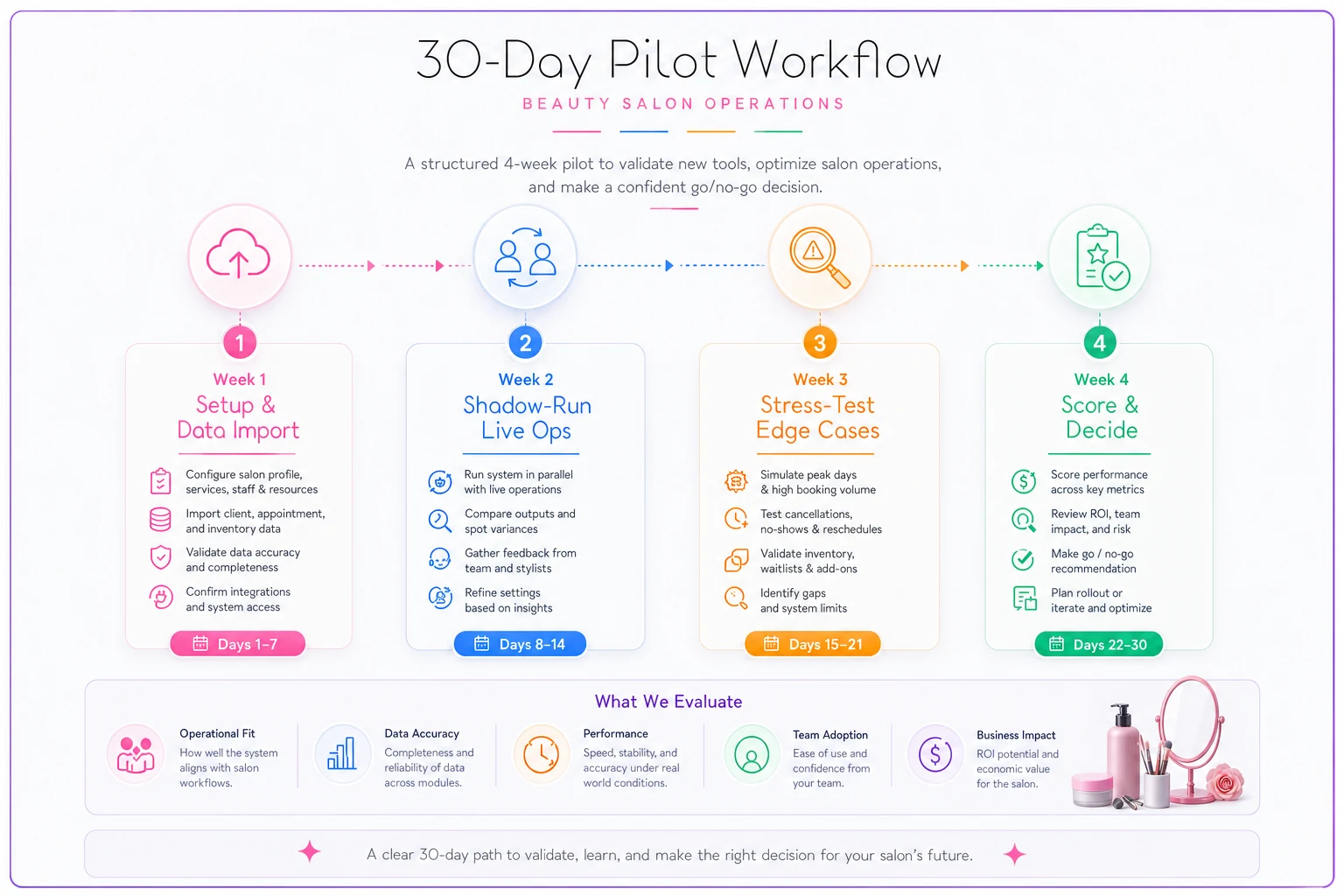
Week 1 — Setup and honest data import. Import a real subset of your client data, not the vendor's demo data. Load your actual service menu with real durations and buffers. Set up two or three staff members. The goal is to see how the system handles your mess, not their clean sample.
Week 2 — Shadow-run live operations. Keep your current system as the source of truth, but have front desk enter the same bookings into the new one in parallel for a slice of the day. Painful, yes — but it surfaces friction that no demo shows. The extra clicks, the workflow that doesn't match how you actually book.
Week 3 — Stress the edge cases. Deliberately test the things that break salons: a multi-service booking, a resource conflict, a refund, a gift card redemption, a payroll export, a same-day reschedule. Log every moment someone says "wait, how do I…"
Week 4 — Score it and decide. Pull the weighted scorecard back out and fill it in with real experience instead of demo impressions. Talk to the staff who used it. Submit a support ticket and time the response. Then decide.
Go/no-go checklist at the end of the pilot:
-
- [ ] Core scheduling handled our real bookings without workarounds
-
- [ ] Client history and formulas imported accurately
-
- [ ] Staff could complete common tasks without asking for help by week 3
-
- [ ] Payroll and commission export matched our numbers
-
- [ ] Gift card and package balances came over correctly
-
- [ ] Support responded within their promised window
-
- [ ] Pricing in writing matches what we tested
-
- [ ] We know exactly how to export our data if we ever leave
If more than one or two of those are unchecked, extend the pilot or walk. A rushed rollout on a shaky pilot costs far more than another two weeks of testing.
When switching is worth it — and when it isn't
Switching makes sense when your current system is actively costing you money — missed bookings, payroll errors, no-show leakage you can't fix — or when you're adding locations and need real centralization. These are structural problems that better software actually solves.
Switching is a bad idea when you're chasing one shiny feature, you're mid-peak-season, or the real problem is a process that hasn't been fixed yet. New software won't fix a broken rebooking habit or a menu with wrong service durations. It'll just relocate the problem. The same logic applies to cost pressure — if margins are the issue, the answer might be operational adjustments like the ones covered in the oil-price-spike planning piece, not a platform change.
Who should probably not switch right now: solo owners whose only complaint is that the interface looks dated but everything works fine, and any owner who hasn't cleaned their client data. Migrating dirty data into a nicer system just gives you a nicer-looking mess.
A quick real scenario
A three-location salon group was running two different systems — one shop on an older platform the original owner had set up, the other two on something newer. Client records were fragmented across both, so a client who visited two locations existed as two separate people with two separate histories. Reporting meant a monthly export-and-merge that ate most of a Sunday.
They ran the 30-day pilot before consolidating onto one platform. Week 1 immediately exposed the duplicate problem — roughly 15% of the combined client list was double-entered. They cleaned it before import instead of after, which is honestly the whole game. Week 3 caught a commission-export mismatch that would've quietly underpaid two senior stylists.
After the switch settled, the Sunday reporting ritual disappeared. Front desk stopped re-asking clients for information the system should've already had. The owner could finally see rebook rate by location without building a spreadsheet first. Not a dramatic overnight revenue jump — just a steady removal of friction that had been taxing every single week for years. That's usually what a good switch actually looks like.
Choosing salon and spa software isn't about finding the platform with the most features. It's about matching a small number of workflows you can't live without to a system that handles them cleanly, importing your data without corrupting it, and getting your team to actually use it. The checklist and scorecard keep you honest about what matters. The pilot keeps you from finding out too late.
Take the extra two weeks. Test with your real data and your real staff. Ask the uncomfortable questions before you sign — that's the only time the vendor is truly motivated to answer them. The owners who regret their software choice almost always skipped the boring validation step. The ones who are still happy years later almost always did it.
Ready to simplify your salon operations?
Join 1,000+ salons using Salnly to save time, reduce scheduling chaos, and deliver better client experiences.