

The conversion drop between "I want to book" and "appointment confirmed" kills salon revenue quietly. Most owners never see it because analytics stop at website visits, not booking completion rates.
The pattern shows up pretty consistently: appointments get lost through preventable friction points in the booking flow. Not because the software is broken, but because small UX decisions stack up into real conversion blockers.
The hidden math of booking abandonment
A typical salon with 400 monthly bookings and a 65% online conversion rate is losing around 215 potential appointments every month. At an average service value of $85, that's a meaningful chunk of monthly revenue disappearing into booking abandonment.
The frustrating part? These aren't price shoppers or casual browsers. These are people who actively tried to book and gave up because the process annoyed them.
Priority 1: The form field nightmare
Every unnecessary field in your booking flow chips away at conversion. Yet most salons still ask for:
Stop losing appointments in the chaos.
Salnly helps you book, confirm & manage every appointment—efficiently.
- Centralized appointment management
- Client notifications
- Calendar & staff scheduling
No credit card required
-
Phone number (required)
-
Email (required)
-
Birthday
-
How did you hear about us
-
Marketing preferences
-
Address
-
Emergency contact
A client booking a haircut shouldn't feel like they're filling out a loan application.
Field removal audit checklist
Keep these (essential for operations):
-
Name
-
Email OR phone (not both required)
-
Service selection
-
Stylist preference
-
Date/time
Move to post-booking (nice to have):
-
Birthday
-
Marketing preferences
-
How you heard about us
-
Special requests
Delete entirely:
-
Address (unless mobile services)
-
Emergency contact (not for standard services)
-
Social media handles
-
Spouse/partner info
Testing field reduction
One salon stripped their booking form from 12 fields down to 5. Booking conversion jumped noticeably within three weeks. They collected the extra info at check-in instead — turns out clients don't mind answering those questions in person when they're already there.
-
Control
existing 12-field form
-
Variant
5-field minimum
-
Sample size
roughly 1,000 sessions per variant
The lift was significant enough that they never went back. Generally speaking, going from 10+ fields to 5 moves the needle more than trimming from 6 to 5 — that last step matters less than people expect.
Priority 2: The pre-payment friction trap
Requiring full payment upfront feels like protection against no-shows, but the math often doesn't support it. Pre-payment requirements tend to drop booking conversion by more than they reduce no-shows. The tradeoff is usually worse than it looks on paper.
When pre-payment makes sense vs. destroys conversion
Keep pre-payment for:
-
New clients booking $150+ services
-
Saturday appointments
-
Multi-service bookings over 2 hours
-
Special events (proms, weddings)
-
Clients with previous no-show history
Remove pre-payment for:
-
Regular clients
-
Services under $75
-
Weekday appointments
-
Last-minute bookings (same/next day)
-
Maintenance services (trims, touch-ups)
The deposit sweet spot
Instead of full pre-payment, test partial deposits:
| Service Value | Deposit Amount | Conversion Impact | No-Show Reduction |
|---|---|---|---|
| Under $50 | No deposit | Baseline | Baseline |
| $50–$100 | $15–20 flat | Mild drop | Small improvement |
| $100–$200 | 20% of service | Moderate drop | Noticeable improvement |
| $200+ | $50 flat | Larger drop | Meaningful improvement |
One operation running a tiered approach like this saw a relatively small conversion drop while still cutting no-shows meaningfully. The retained bookings more than offset the slightly higher no-show rate on lower-value services.
Priority 3: Availability visibility that actually converts
Most booking systems show availability wrong. Either they overwhelm with too many options or frustrate with too few. The sweet spot shifts depending on service type and how far out the client is booking.
The paradox of choice in time slots
Showing 20+ available times for tomorrow paralyzes people. But showing only 2–3 slots makes your salon look overbooked when it isn't.
-
Same day
Show all available (urgency overrides choice paralysis)
-
Next day
Maximum 6–8 slots
-
2–7 days out
Maximum 5–6 slots
-
8+ days out
Maximum 4–5 slots
Smart availability grouping
Instead of showing every 15-minute increment, group into booking windows.
Traditional display (overwhelming):
9:00, 9:15, 9:30, 9:45, 10:00, 10:15, 10:30…
Optimized grouping:
-
Morning (3 options)
9:00, 9:45, 10:30
-
Midday (2 options)
12:00, 1:00
-
Afternoon (3 options)
2:30, 3:30, 4:30
This kind of grouping tends to improve booking completion and also helps with operational clustering — fewer scattered appointments across the day.
Priority 4: Mobile optimization beyond responsive design
Having a mobile-responsive site isn't enough. Mobile booking requires completely different UX decisions. A large majority of salon bookings now start on mobile, but mobile conversion rates still lag desktop by a meaningful margin at most salons.
Mobile-specific friction points
Calendar navigation disasters: Standard date pickers force excessive tapping on mobile. One salon switched to a "next available" button displayed prominently above the calendar and saw mobile conversions improve noticeably. It sounds almost too simple.
Thumb-hostile elements: Buttons smaller than 44×44 pixels cause mis-taps and frustration. Time slot buttons especially need to be thumb-sized with decent spacing between them.
Keyboard chaos: Every field requiring keyboard input on mobile increases abandonment. Use dropdowns, toggles, and pre-selections wherever you can.
Mobile A/B tests worth running
Test 1: Sticky "Book Now" button
-
Control
Button only at bottom of service description
-
Variant
Floating button always visible
-
Result
Meaningful lift in mobile booking starts
Test 2: Progressive disclosure
-
Control
All fields visible immediately
-
Variant
Step-by-step with progress bar
-
Result
Notable lift in completion rate
Test 3: Guest checkout prominence
-
Control
Equal weight login vs. guest
-
Variant
"Continue as Guest" as primary option
-
Result
Strong lift in first-time bookings — this one tends to surprise people
Use input types that trigger appropriate mobile keyboards (email, tel, numeric) to reduce typing friction.
This one tends to surprise people
Priority 5: Service menu presentation
How you display services affects both conversion and average ticket value. Most salons organize by service type — cuts, color, treatments — which makes logical sense internally but creates friction for clients who don't know what they need to ask for.
Outcome-based menu structure
Traditional structure:
-
Haircuts
-
Color Services
-
Treatments
-
Styling
Conversion-optimized structure:
-
Quick Maintenance (30 min or less)
-
Full Transformations
-
Special Events
-
Fix & Refresh
One salon testing this approach saw an uptick in booking completion and, somewhat surprisingly, an increase in average service value. Clients were selecting based on desired outcome rather than scanning prices and picking the cheapest option.
The confirmation psychology that seals the deal
The moment after clicking "Book" determines whether clients actually show up. Most confirmation pages waste this opportunity with a generic "Thank you" message and nothing else.
Confirmation page elements that actually matter
-
Anxiety relief "Your appointment is confirmed and saved"
-
Clear next steps What happens now, what to bring
-
Commitment device Calendar button, text confirmation
-
Preparation info Parking, arrival time, stylist name
-
Cancellation policy Clear but not threatening
A well-optimized confirmation page can reduce day-of no-shows just through better expectation setting — it's one of the more underrated levers in the whole flow.
Testing sequence for maximum impact
Don't change everything at once. Here's a reasonable testing order:
Work through one area at a time. Running tests simultaneously makes it nearly impossible to know what actually moved the needle.
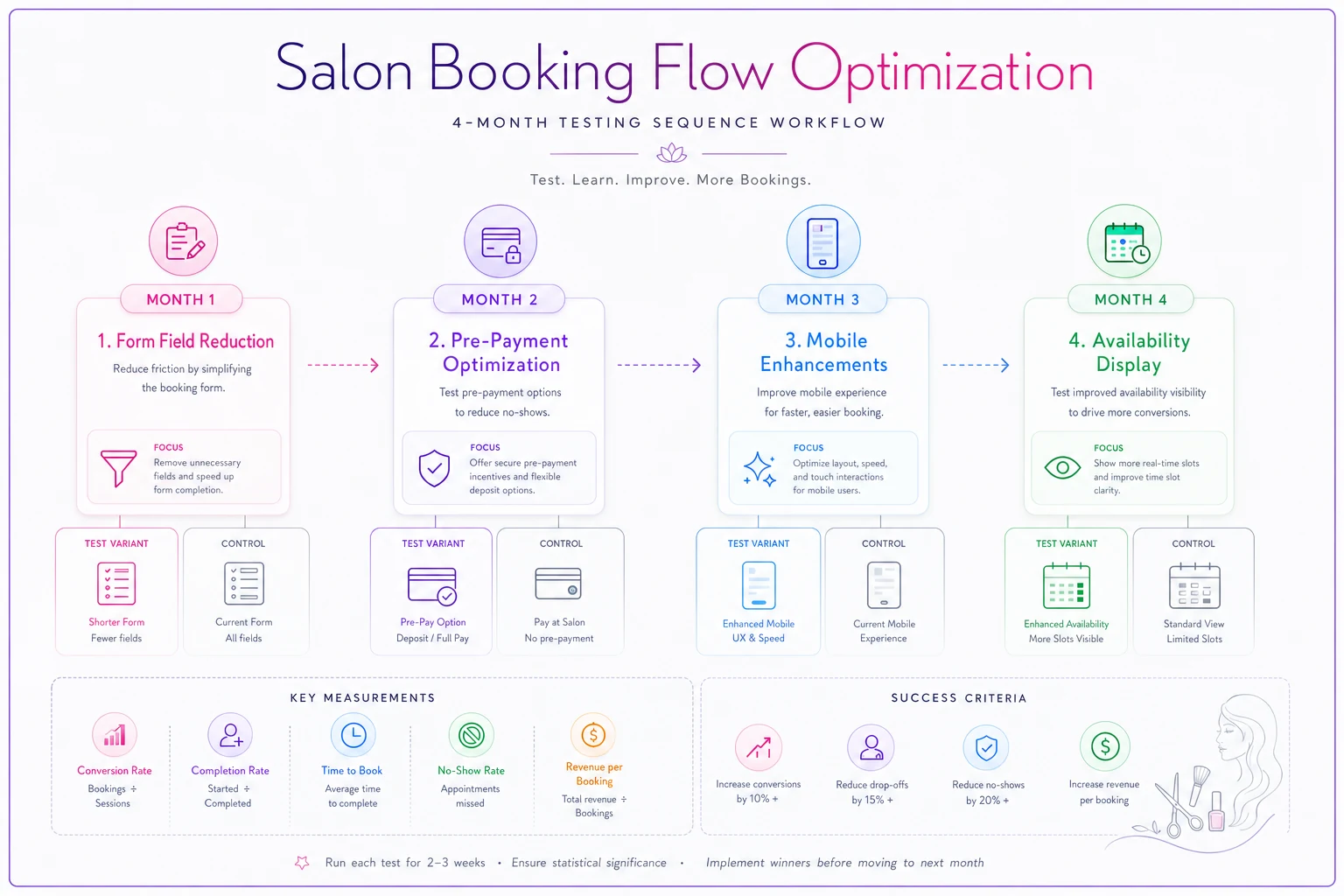
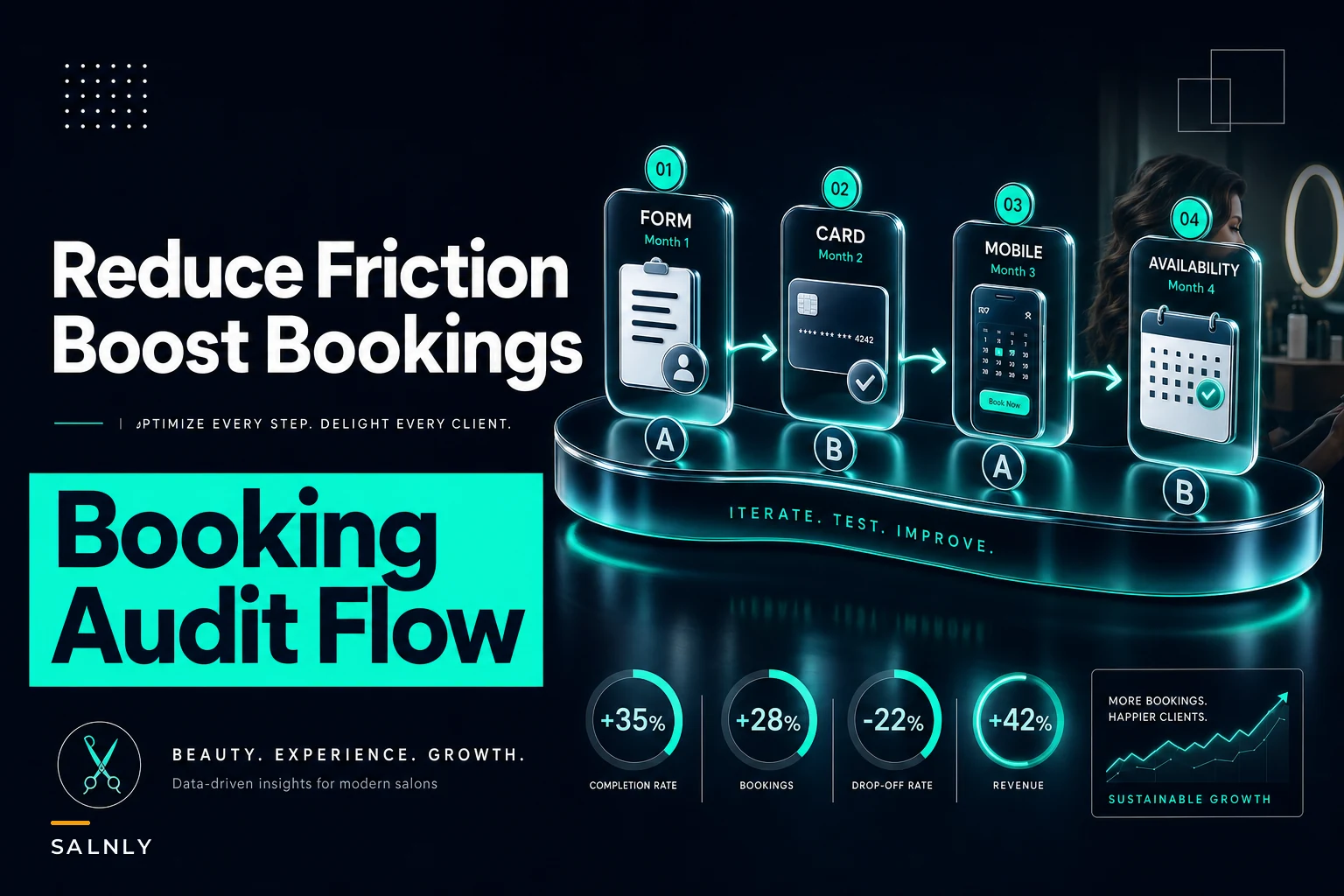
A simple visual of the monthly sequence helps teams stay focused on one priority at a time.
-
Month 1
Form field reduction
- Week 1–2: Audit and remove unnecessary fields - Week 3–4: A/B test reduced form -
Month 2
Pre-payment optimization
- Week 1: Implement tiered deposit structure - Week 2–4: Test deposit vs. no-deposit for different service tiers -
Month 3
Mobile flow enhancement
- Week 1–2: Mobile-specific optimizations - Week 3–4: Test guest checkout prominence -
Month 4
Availability display
- Week 1: Implement grouped time slots - Week 2–4: Test different grouping strategies
Work through one area at a time. Running tests simultaneously makes it nearly impossible to know what actually moved the needle.
Measuring what matters
Track these metrics weekly during optimization:
Primary metrics:
-
Booking start to completion rate
-
Device-specific conversion rates
-
Service selection to booking rate
-
Time to complete booking
Secondary metrics:
-
Pages per booking session
-
Form field abandonment points
-
Error message triggers
-
Back button usage
Most salon booking platforms don't surface this level of analytics natively, which is why proper tracking setup matters more than most owners realize. If you can't measure where people drop off, you're just guessing.
The compound effect of friction removal
Small improvements stack. Work through each of these priorities and execute reasonably well, and overall booking conversion can shift substantially. On a base of 400 monthly bookings, even a 30–40% improvement in conversion rate translates to a lot of additional appointments without spending anything on marketing.
The math is pretty straightforward — but it only works if you actually follow through on the testing.
Common implementation mistakes to avoid
Testing too many variables simultaneously: You won't know what actually moved the needle. Test one major change at a time.
Ignoring seasonality: December booking patterns are completely different from March. Run tests for full weeks minimum, ideally 2–3 weeks.
Optimizing for the wrong client: Your top clients will book regardless of friction. Optimize for the hesitant middle — the people who almost booked but didn't.
Forgetting about operational impact: Easier booking might mean more last-minute appointments. Make sure your confirmation sequence and waitlist systems can handle increased volume.
Where AI-powered booking optimization helps
The testing and iteration process here is genuinely tedious to do manually. Reviewing session recordings, tracking drop-off points, adjusting slot display logic — it adds up fast.
Modern AI-powered operational platforms can handle a lot of the monitoring work. They track conversion patterns across every step of your funnel and surface where clients are dropping off without you having to manually dig through data. Some can test variations automatically and adapt based on patterns — showing different availability options depending on booking urgency or client history, for example.
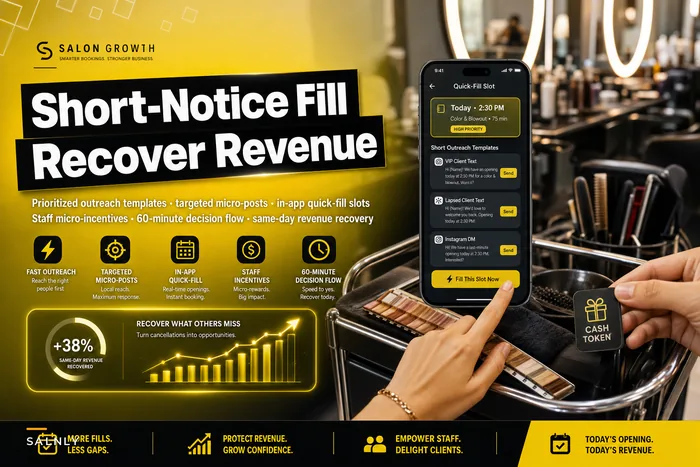
The more interesting value comes when booking optimization connects to broader operations. Platforms built with AI automation can monitor your booking flow, flag unusual drop-off trends, and identify which bookings carry higher no-show risk based on how the appointment was made. That kind of visibility is hard to replicate with manual review, especially when you're also running a full salon day-to-day. For the short-notice side of the equation, this short-notice fill playbook is worth reading alongside these flow fixes.
The 90-day transformation
A salon doing solid monthly revenue with a 60% online booking conversion rate has real upside here. Moving conversion up meaningfully through systematic optimization can add substantial monthly revenue without any increase in marketing spend or capacity.
The process requires discipline but not deep technical knowledge. Start with the highest-impact changes — form fields and mobile experience — then work through each area in order.
Track everything, test deliberately, and don't let perfect be the enemy of good. Even moving from 60% to 70% booking conversion changes your revenue trajectory in ways that compound over time.
Your booking flow is either working for you or quietly bleeding appointments. The fixes here address the most common reasons it does the latter.
Ready to simplify your salon operations?
Join 1,000+ salons using Salnly to save time, reduce scheduling chaos, and deliver better client experiences.