

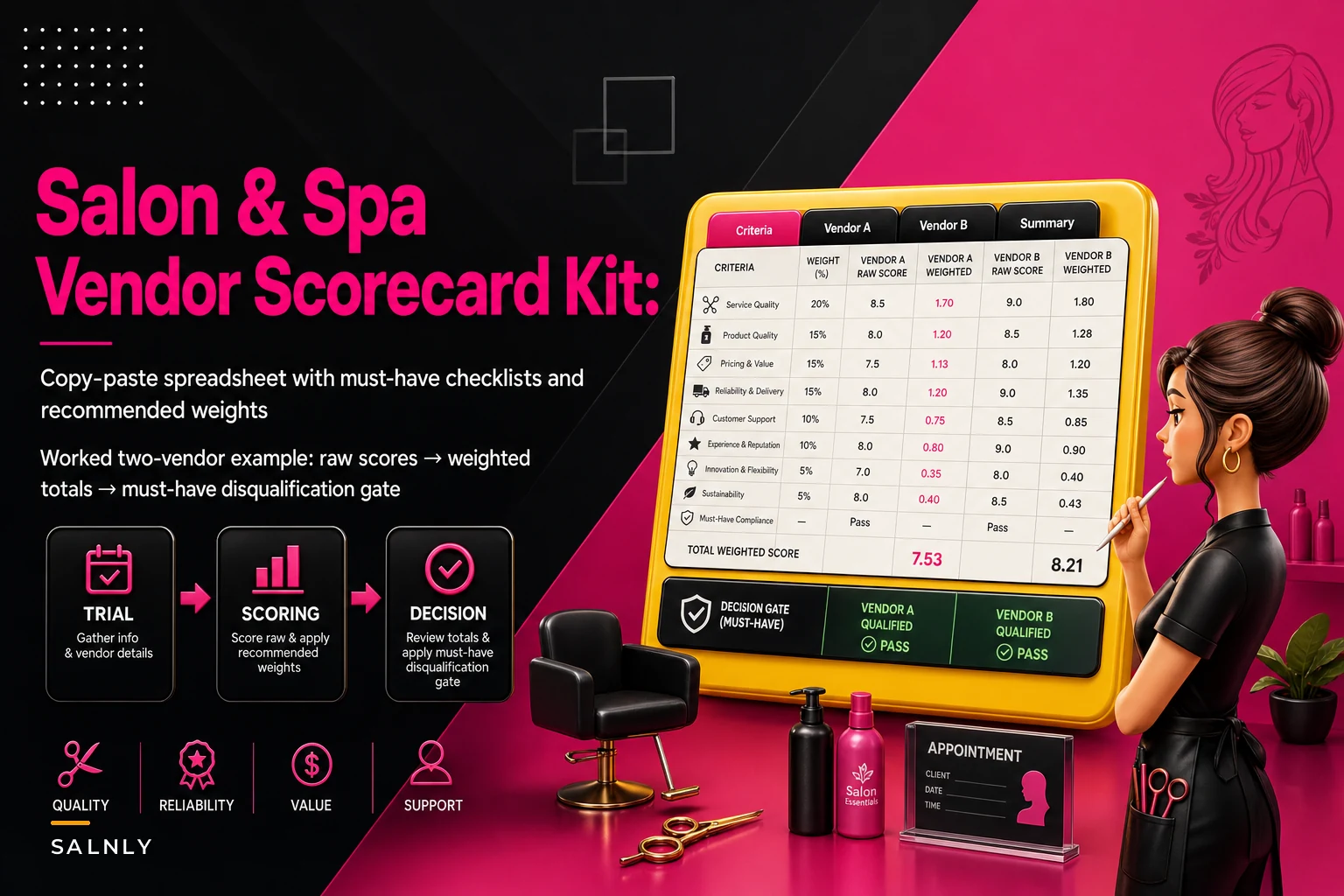

Most salon owners don't pick bad software because they're careless. They pick it because the demo looked polished, the salesperson was friendly, and there was no neutral way to compare one vendor against another. Everything felt like a tie, so the decision came down to who called back fastest or which pricing page was least confusing.
A scorecard fixes that. Not a vague pros-and-cons list — an actual weighted spreadsheet with numbers, thresholds, and a decision line you agree on before you start scoring. The point isn't to make the choice feel scientific. It's to force the hard questions early, so you're not discovering during migration that SMS confirmations don't work in your state or that importing three years of client history costs an extra $900.
This is a build-it-yourself kit. Every tab, formula, weighting, and rubric below is meant to be copied straight into a Google Sheet. If you want broader context on narrowing your shortlist first, the practical buyer's checklist for single- and multi-location businesses pairs well with this — use that to get to two or three vendors, then use the scorecard here to pick the winner.
Why a weighted scorecard beats a feature checklist
A plain checklist treats every feature as equal. It isn't. "Has a mobile app" and "migrates your client notes accurately" are not the same weight-class problem. One is a nice-to-have. The other, done wrong, loses you client history you can never rebuild.
The failure pattern looks like this: an owner makes a 40-row feature list, checks boxes for both vendors, and both end up at "38 out of 40." Now what? The checklist told you they're basically the same when they absolutely aren't — one of them is just missing two features you'd never use anyway.
Weighting solves this. You decide in advance that migration accuracy is worth 5x more than loyalty-point customization, and the math sorts out the tie. The scores stop lying to you.
The second thing a good scorecard does: it separates must-haves (deal-breakers) from nice-to-haves (tiebreakers). A vendor that fails a single must-have is disqualified regardless of how good the rest of the product looks. That rule alone saves salons from signing up for software that can't text clients in their region.
The spreadsheet layout (copy this tab structure)
Build four tabs. Here's exactly what goes in each.
Stop losing appointments in the chaos.
Salnly helps you book, confirm & manage every appointment—efficiently.
- Centralized appointment management
- Client notifications
- Calendar & staff scheduling
No credit card required
Tab 1 — Criteria
Your master list of everything you're scoring, the category, whether it's a must-have, and its weight.
| Column | Header | Example value |
|---|---|---|
| A | Criterion | SMS confirmation delivery |
| B | Category | Communication |
| C | Must-have? | YES |
| D | Weight (1–5) | 5 |
| E | Threshold / definition | ≥97% delivered within 60 sec in trial |
Tab 2 — Vendor A and Tab 3 — Vendor B
Same row order as the Criteria tab. One raw score column, one notes column.
| Column | Header | Example |
|---|---|---|
| A | Criterion | SMS confirmation delivery |
| B | Raw score (1–5) | 4 |
| C | Weighted score | =B2*Criteria!D2 |
| D | Notes / evidence | 2 of 50 test texts delayed >2 min |
Tab 4 — Summary
Pulls weighted totals and applies the decision rule.
| Column | Header | Formula |
|---|---|---|
| A | Vendor | Vendor A |
| B | Weighted total | =SUM('Vendor A'!C2:C40) |
| C | Max possible | =SUMPRODUCT(Criteria!D2:D40,5) |
| D | % of max | =B2/C2 |
| E | Any must-have failed? | =IF(COUNTIFS(...)>0,"DISQUALIFIED","OK") |
The must-have check in column E is the one people skip and regret. Here's a version that works — it flags a vendor if any criterion marked YES scored below 3:
=IF(SUMPRODUCT((Criteria!C2:C40="YES")*('Vendor A'!B2:B40<3))>0,"DISQUALIFIED","OK")
That single formula is the difference between a scorecard that actually protects you and one that just produces a tidy-looking average.
Here's a visual of the scorecard workflow.
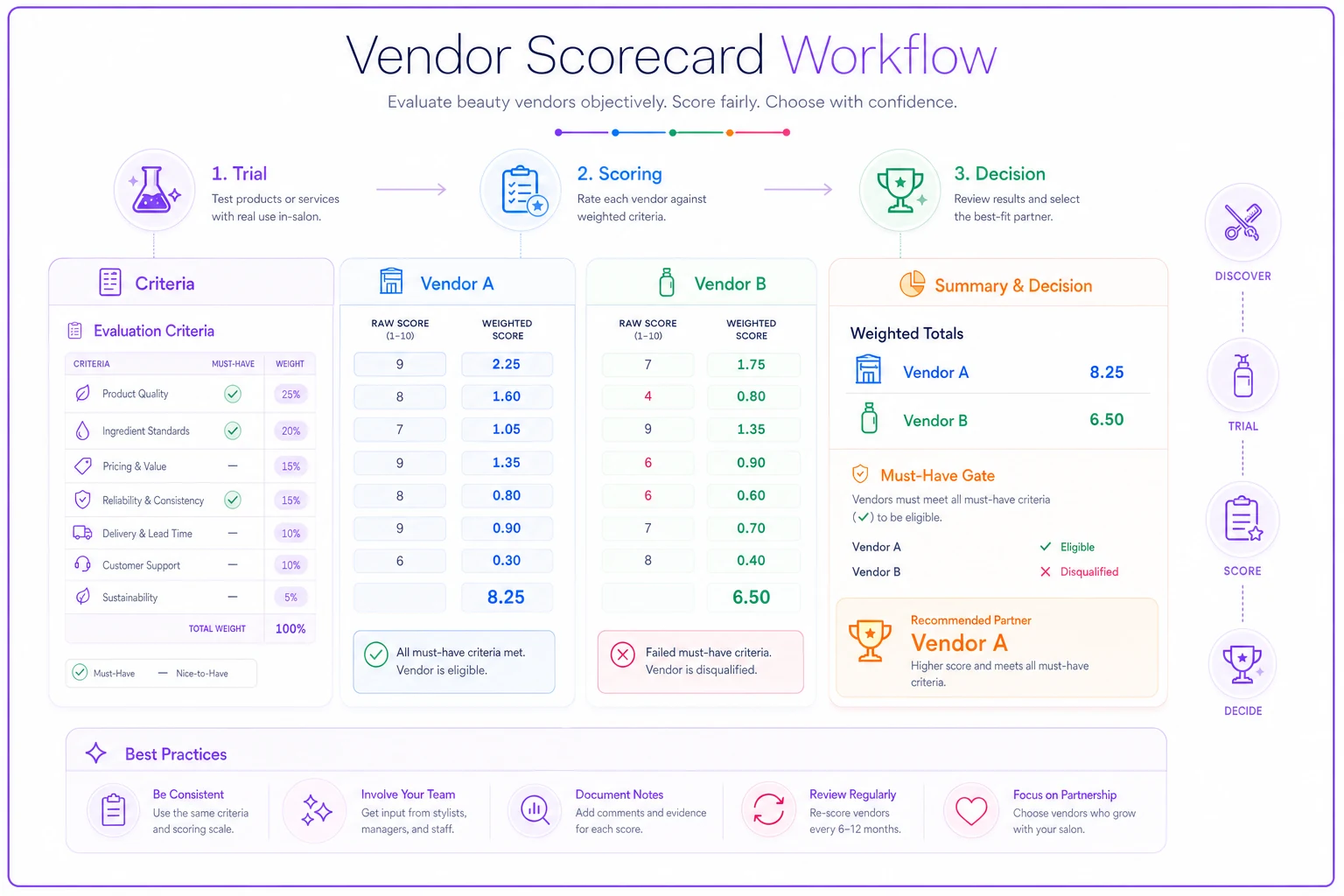
Use that to understand how Criteria → Vendor tabs → Summary and the must-have gate interact.
The 1–5 scoring rubric (with measurable thresholds)
Vague scoring is where scorecards fall apart. If "5" just means "I liked it," two people will score the same demo three points apart. Each number needs to be attached to something you can actually observe during a real trial.
General 1–5 scale:
-
5 — Exceeds the threshold, verified in your own trial, no caveats
-
4 — Meets the threshold with a minor caveat (workaround exists)
-
3 — Partial. Works but needs manual steps or extra cost
-
2 — Technically present but unreliable or very limited
-
1 — Absent, broken, or vendor couldn't demonstrate it
Measurable thresholds for the heavy-weight criteria:
-
Uptime — 5 = documented ≥99.9% with a public status page and history; 3 = claims high uptime but no status page; 1 = frequent slowness in your trial.
-
SMS delivery — 5 = ≥97% of test messages delivered inside 60 seconds; 3 = delivery works but with 1–2 min delays; 1 = messages fail or require manual send. Send yourself 40–50 test confirmations across different carriers before scoring this.
-
Support SLA — 5 = written response SLA under 4 business hours plus phone support; 3 = email-only, same-day-ish; 1 = ticket system with no committed response time.
-
Migration accuracy — 5 = vendor commits to importing clients, history, notes, and gift-card balances with a reconciliation report; 3 = imports contacts and basic history, notes dropped; 1 = contacts only, you re-enter everything.
-
Calendar sync reliability — 5 = two-way sync, no double-bookings across a 7-day test; 3 = one-way or occasional lag; 1 = manual export only.
The migration threshold deserves a note. "We migrate your data" almost never means all your data — service notes, formula history for color clients, and gift-card balances are the three things most commonly dropped, and they're also the three things that cause the most front-desk chaos in week one. Score migration on what the vendor will commit to in writing, not what they say during the sales call.
Recommended default weightings
Start here, then adjust for your salon type. Weights are 1–5, where 5 means a failure here is a serious problem.
| Criterion | Category | Must-have? | Default weight |
|---|---|---|---|
| Migration accuracy | Data | YES | 5 |
| SMS/confirmation delivery | Communication | YES | 5 |
| Uptime / reliability | Platform | YES | 5 |
| Online booking flow | Booking | YES | 4 |
| Calendar sync | Booking | YES | 4 |
| Support SLA | Support | YES | 4 |
| Reporting (per-stylist, per-service) | Analytics | NO | 4 |
| POS / payment reliability | Payments | YES | 4 |
| Deposit / no-show handling | Payments | NO | 3 |
| Inventory / backbar tracking | Inventory | NO | 3 |
| Memberships / packages | Retention | NO | 3 |
| Mobile app for staff | Convenience | NO | 2 |
| Loyalty point customization | Retention | NO | 2 |
| Marketing / email tools | Marketing | NO | 2 |
The top of the list is almost all must-haves at weight 4–5, and the bottom is nice-to-haves at 2–3. That spread is the whole game. If your weights are all 3s and 4s, the scorecard won't discriminate between vendors and you've largely wasted the effort.
Salon-type presets
Color-heavy salon (lots of formula clients, long appointments)
Bump migration accuracy to 5 and treat it as the single highest priority — losing color formula history is genuinely painful and clients notice. Raise reporting to 4 since you need per-service margin visibility on color work, and raise deposit handling to 4 since color no-shows eat more chair time than a quick trim does. Drop walk-in features to 1.
Room/resource spas (treatment rooms, shared equipment)
Add two criteria the base list doesn't emphasize: resource/room scheduling (must-have, weight 5) and double-booking prevention across resources (weight 5). A spa that books two facials into one room has a worse problem than a salon that double-books a chair. Memberships and packages also rise to 4 since spa revenue leans heavily on them.
High walk-in barbers
Flip the priorities. Speed of checkout and POS reliability become weight 5, queue and walk-in management becomes a must-have at 5, and online booking drops to weight 2 or 3. Migration still matters but there's usually less history to move, so it can sit at 4. Membership tooling can go to 1.
The mistake is grabbing a generic weighting from somewhere online and never touching it. A barber shop scoring online-booking elegance as a 5 is optimizing for something that barely moves their revenue.
A fully worked example: scoring two vendors
Two realistic vendors: Vendor A (polished, pricey, strong booking flow) and Vendor B (less flashy, strong data handling). Single-location color-heavy salon, using that preset — migration and SMS carry weight 5.
Raw scores from the trial:
| Criterion | Weight | Vendor A raw | Vendor B raw |
|---|---|---|---|
| Migration accuracy | 5 | 2 | 5 |
| SMS delivery | 5 | 5 | 4 |
| Uptime | 5 | 4 | 4 |
| Online booking flow | 4 | 5 | 3 |
| Calendar sync | 4 | 5 | 4 |
| Support SLA | 4 | 3 | 4 |
| Reporting | 4 | 3 | 5 |
| POS reliability | 4 | 4 | 4 |
| Deposit handling | 4 | 4 | 3 |
| Memberships | 3 | 4 | 3 |
Weighted totals (raw × weight, summed):
-
Vendor A
(2×5)+(5×5)+(4×5)+(5×4)+(5×4)+(3×4)+(3×4)+(4×4)+(4×4)+(4×3) = 163
-
Vendor B
(5×5)+(4×5)+(4×5)+(3×4)+(4×4)+(4×4)+(5×4)+(4×4)+(3×4)+(3×3) = 166
Max possible = sum of weights × 5 = 42 × 5 = 210.
-
Vendor A
163/210 = 78%
-
Vendor B
166/210 = 79%
On weighted total alone, it's nearly a tie. But look at the must-have check. Migration accuracy is a must-have, and Vendor A scored a 2 — below the disqualification floor of 3. That means:
> Vendor A is DISQUALIFIED despite having a strong overall score.
This is exactly why the must-have gate exists. On a naive average, Vendor A's booking flow nearly won. But it can't migrate color formula history reliably, and for this salon that's non-negotiable. Vendor B wins — not because it scored dramatically higher, but because it cleared every deal-breaker.
If migration had not been flagged as a must-have, you'd be looking at a 1% gap and calling it a genuine tie. Which brings us to how you should actually read these numbers.
How to interpret the final numbers
Three quick rules for reading your Summary tab:
-
Any must-have failure = out. Full stop. Don't rationalize it. A 2 on migration or SMS isn't something you "work around" — it's the thing you'll be fighting every single week.
-
If both clear the must-haves, use the gap. A difference under roughly 3% of max is a genuine tie; decide on price, contract flexibility, or how the support team actually treated you during the trial. A gap over 8% or so is a real signal — trust it.
-
Read the notes column before you sign. The number compresses everything. "2 of 50 texts delayed over 2 minutes" is the detail that tells you whether that 4 should've been a 3.
One pattern worth naming: owners tend to inflate scores for the vendor whose salesperson they liked. Score from the trial evidence in your notes column, not from the relationship. If you can't point to something you actually observed, the score isn't earned.
When this scorecard makes sense — and when it doesn't
Use it when: you're down to two to four real contenders, you're switching from an existing system where migration risk is real, or you're a multi-location business where a wrong choice is expensive to unwind.
-
you're down to two to four real contenders
-
you're switching from an existing system where migration risk is real
-
you're a multi-location business where a wrong choice is expensive to unwind
Skip the heavy version when: you're a brand-new single chair with no data to migrate and almost no budget. The must-have gate still matters, but you can collapse the scorecard to six rows and make a decision in an afternoon.
-
you're a brand-new single chair with no data to migrate and almost no budget
Multi-location owners should not run this alone. Have the person who actually runs the front desk score the booking and SMS rows, and whoever handles the books score reporting and payments. The people who touch the software daily catch problems the owner never sees during a demo.
Real scenario: a two-location salon avoids a six-month mistake
A two-location salon with roughly 600 active color clients was ready to sign with the flashier vendor — the demo was genuinely better and the staff liked the interface. Before committing, they ran this scorecard with the color-heavy preset and tested migration against an export of their actual client file.
The flashy vendor imported contacts and appointment history fine but silently dropped every service note and color formula. On the scorecard that landed as a 2 on migration — an automatic disqualification. The second vendor imported formulas and notes cleanly and produced a reconciliation report showing a 98%+ match.
They went with the second vendor. Re-entering formula history by hand across 600 clients would have eaten somewhere around 60–80 staff hours, plus weeks of awkward "remind me what we used last time" conversations at the chair. The scorecard didn't make a complicated decision — it just caught the one thing that mattered before it became a problem.
Build it today
You don't need a consultant or a special tool — a blank Google Sheet, the four tabs above, and an honest trial will get you a defensible decision. The weights and rubric here are a starting point; adjust them to how your salon actually makes money, then score only what you can verify yourself.
The whole value is forcing the deal-breaker conversation before the contract, not during migration week. Set your must-haves, agree on the thresholds, test with your real data, and let the disqualification gate do its job. The vendor that survives every must-have and scores highest on the weights you actually care about is your answer — and this time you'll be able to show exactly why.
The whole value is forcing the deal-breaker conversation before the contract, not during migration week. Set your must-haves, agree on the thresholds, test with your real data, and let the disqualification gate do its job. The vendor that survives every must-have and scores highest on the weights you actually care about is your answer — and this time you'll be able to show exactly why.
Ready to simplify your salon operations?
Join 1,000+ salons using Salnly to save time, reduce scheduling chaos, and deliver better client experiences.