

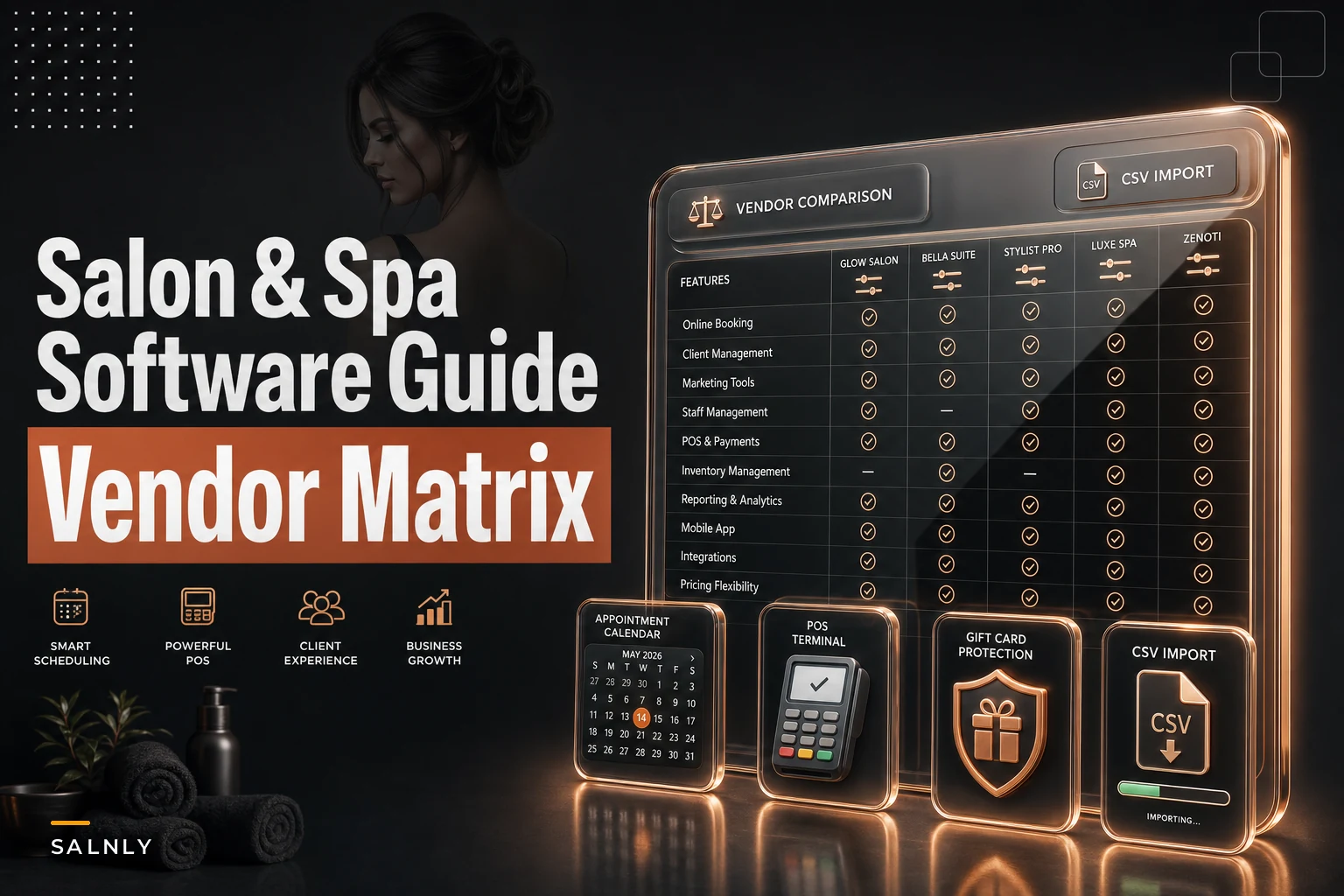

Most salon owners don't pick bad software. They pick software that was built for a business one size up or one size down from theirs. The solo stylist buys the enterprise suite and drowns in features she'll never touch. The three-location group buys the lightweight appointment app and ends up running payroll in a spreadsheet because the tool can't split commission across sites.
That mismatch is the most expensive part of this decision — more than the monthly subscription, more than transaction fees. So instead of ranking "the best" software (there isn't one), this guide sorts the market into categories, matches each to the kind of business it actually serves, and shows you how to compare total cost rather than sticker price.
If you want the step-by-step evaluation process after you've shortlisted a category, the companion practical buyer's checklist for single- and multi-location businesses picks up where this guide leaves off.
What this software actually does (and who's buying it)
Salon and spa software is the system that runs your calendar, takes payment, holds client history, tracks product, and pays your team. Some tools do one of those things really well and bolt on the rest. Others try to do everything and ask you to adjust your workflow to fit theirs.
The people buying it fall into a few buckets: the independent stylist managing her own book from her phone, the day spa juggling rooms and therapists, the multi-location group that needs one view across sites, and the salon that sells as much shampoo and styling product as it does services. Each of those businesses has a completely different pain point — which is exactly why the "top 10 salon software" lists are so useless. They're comparing a tricycle to a delivery truck.
Start with who you are, because that determines everything downstream.
Four buyer personas (find yourself here first)
The solo stylist or booth renter. One calendar, one payment processor, maybe a loyalty punch-card equivalent. What matters here is a clean mobile app, automated reminders, and card payments that don't eat 4% per swipe. What doesn't matter: multi-location reporting, role-based staff permissions, commission tiers. Paying for those is paying for air.
Stop losing appointments in the chaos.
Salnly helps you book, confirm & manage every appointment—efficiently.
- Centralized appointment management
- Client notifications
- Calendar & staff scheduling
No credit card required
The multi-room day spa. The complexity here isn't volume — it's resource conflicts. A facial needs a room and an esthetician and a 15-minute turnover buffer. A couples massage needs two therapists and the big room. Software that treats a "staff member" as the only bookable resource will constantly double-book your space. Room and equipment management stops being a nice-to-have.
The multi-location group or franchise. Once you cross two or three sites, the questions change entirely. Can a client book at any location from one brand page? Can you see consolidated revenue without exporting three CSVs? Can a stylist who covers two shops have one profile? This is where lightweight apps quietly fall apart, and where the multi-location playbook on which SOPs to centralize becomes relevant alongside the software choice.
The hybrid salon + retail business. If 20–35% of your revenue is product, your POS and inventory are not afterthoughts. You need back-bar vs. retail stock separation, reorder points, and reporting that tells you product margin by stylist. A booking-first app with a token "sell a product" button will cost you real money in shrinkage and stockouts.
Hold onto which persona fits. Everything below maps back to it.
Feature taxonomy: what you actually need vs. what's just nice
Here's an honest split between features that earn their keep and ones that look good in a demo.
Must-have features
-
Online booking & calendar management — The engine. If clients can't self-book 24/7 and your calendar doesn't prevent conflicts, nothing else matters.
-
Automated reminders (SMS/email) — Reduces no-shows directly. One prevented no-show per stylist per week often covers the software bill.
-
POS & integrated payments — One flow from booking to checkout. Separate card terminals create reconciliation nightmares at close.
-
Client records & history — Formula notes, visit history, contact info. Losing this when a stylist leaves is a genuine retention risk.
-
Staff scheduling & commission — Who works when, and who gets paid what. Manual commission math is where errors and resentment live.
-
Basic reporting — Daily sales, rebook rate, retail attachment. You can't fix what you can't see.
Nice-to-have features
-
Loyalty & memberships — Powerful for retention, but only if you'll actually run the program. Dormant loyalty modules are shelfware.
-
Advanced inventory — Matters a lot for retail-heavy shops, barely for service-only.
-
Multi-location dashboards — Essential above two sites, irrelevant below.
-
Marketing automation — Useful, but often better handled by a dedicated tool you already know.
-
Mobile app for clients — Nice brand touch; most clients book from a browser link anyway.
-
Security & compliance tooling — Non-negotiable if you store client photos or health intake forms; check how data is handled and who can access it.
The pattern worth noticing: a feature's value is almost entirely dependent on your persona. There's no universally "must-have" loyalty module. There is a must-have loyalty module for a retention-focused day spa and a waste-of-money one for a booth renter.
Vendor categories and when each one fits
The market sorts into four shapes pretty cleanly once you stop reading individual brand names.
Cloud-first appointment apps. Built around the calendar, light on everything else. Fast to set up, cheap, great mobile experience. The right call for solo stylists and small service-only salons. They start to strain when you add locations or heavy retail.
POS-centric suites. These grew out of payment processing. Strong checkout, strong inventory, decent booking. Good fit for the hybrid salon + retail business where product sales are a serious revenue line. The booking side is sometimes less elegant than a dedicated app.
Enterprise / multi-location platforms. Built for groups and franchises. Consolidated reporting, role-based permissions, cross-location booking, often an open API for integrations. Overkill — and overpriced — for a single chair. Necessary once you're past two or three sites.
All-in-one boutique solutions. The "everything in one login" category aimed at independent salons and small day spas that want booking, payments, inventory, and basic marketing without stitching tools together. The trade-off is that they're rarely best-in-class at any single thing, but the convenience is real.
When each is a bad idea
-
Solo stylist choosing enterprise
you'll pay for seats and modules you can't use.
-
Three-location group choosing a cloud-first app
you'll end up exporting and merging data by hand.
-
Retail-heavy salon choosing a booking-first app
inventory gaps will quietly cost you margin.
-
Day spa choosing a tool with no room/resource logic
double-bookings on space, not staff.
All-in-one boutique solutions. The "everything in one login" category aimed at independent salons and small day spas that want booking, payments, inventory, and basic marketing without stitching tools together. The trade-off is that they're rarely best-in-class at any single thing, but the convenience is real.
Side-by-side comparison matrix
Representative categories and typical characteristics — not an endorsement of any single vendor. Use this to narrow to a category, then evaluate two or three real products within it.
| Category | Best for (target size) | Core strength | Typical weak spot | Price tier | Integrations | Free trial common? |
|---|---|---|---|---|---|---|
| Cloud-first app A | Solo / 1 location | Mobile booking, reminders | Thin inventory | $ | Calendar, payments | Yes |
| Cloud-first app B | Solo / small team | Fast setup, clean UI | Limited reporting | $ | Payments, email | Yes |
| POS-centric suite A | Retail-heavy salon | Checkout + inventory | Booking UX | $$ | Accounting, e-comm | Sometimes |
| POS-centric suite B | Salon + retail, 1–3 sites | Product margin reporting | Learning curve | $$ | Payments, accounting | Sometimes |
| All-in-one boutique A | Small day spa | Rooms + resources | Not best-in-class anywhere | $$ | Payments, marketing | Yes |
| All-in-one boutique B | Independent salon | Everything in one login | Rigid workflows | $$ | Payments, calendar | Yes |
| All-in-one boutique C | 1–2 locations | Memberships + loyalty | Reporting depth | $$ | Payments, email | Yes |
| Enterprise platform A | 3+ locations | Consolidated reporting | Cost, setup time | $$$ | Open API, payroll | Rarely |
| Enterprise platform B | Franchise | Role permissions, cross-site booking | Overkill for small shops | $$$ | API, accounting, payroll | Rarely |
| Enterprise platform C | Multi-brand groups | Governance, data controls | Implementation length | $$$ | Full API suite | Rarely |
Price tier: $ = entry, $$ = mid, $$$ = enterprise. Build your own version of this table as a CSV — one row per vendor you're actually testing — and fill the trial/support columns from live demos, not marketing pages.
Pricing: how to compare what you'll really pay
Sticker price is the smallest part of the bill. The pricing models you'll run into:
-
Per-stylist / per-seat — Scales with your team. A solo stylist might pay roughly $20–$40/month; a six-person salon on the same tool could land near $150–$250.
-
Per-location — Common at the enterprise tier. Often $100–$300+ per site, before add-ons.
-
Flat subscription — One price, unlimited staff. Great value for larger teams, poor value for solo operators.
-
Transaction fees — The quiet one. A 2.6%–3.5% card fee on, say, $40k in monthly revenue is $1,040–$1,400 every month — often more than the subscription itself.
A realistic total-cost comparison. Take a four-stylist salon doing around $38k–$42k a month. Tool A costs $130/month flat but charges 3.3% on cards. Tool B costs $210/month but 2.5%. On ~$40k processed, Tool A's fees run about $1,320; Tool B's about $1,000. Add subscriptions: Tool A ≈ $1,450/month all-in, Tool B ≈ $1,210. The "cheaper" tool is actually ~$240/month more expensive — close to $2,800 a year. Always model fees against your real volume before trusting the headline number.
Migration & integration: the high-level checklist
Switching providers is where good decisions fall apart if you're not careful. Keep this list handy:
-
Know your export formats. Client lists usually export as CSV. Appointment history and formula notes often don't export cleanly — confirm this before you commit.
-
Map your data fields. The new system's "client tags" may not match the old system's "categories." Mismatches cause silent data loss.
-
Plan a parallel run. Run both systems for a short window rather than flipping overnight.
-
Budget realistic time. A solo move might take a weekend; a multi-location migration realistically runs several weeks.
-
Protect gift card and package balances. These are liabilities — losing them in migration means either eating the cost or angry clients.
A simple visual of the migration steps can help keep the team aligned.
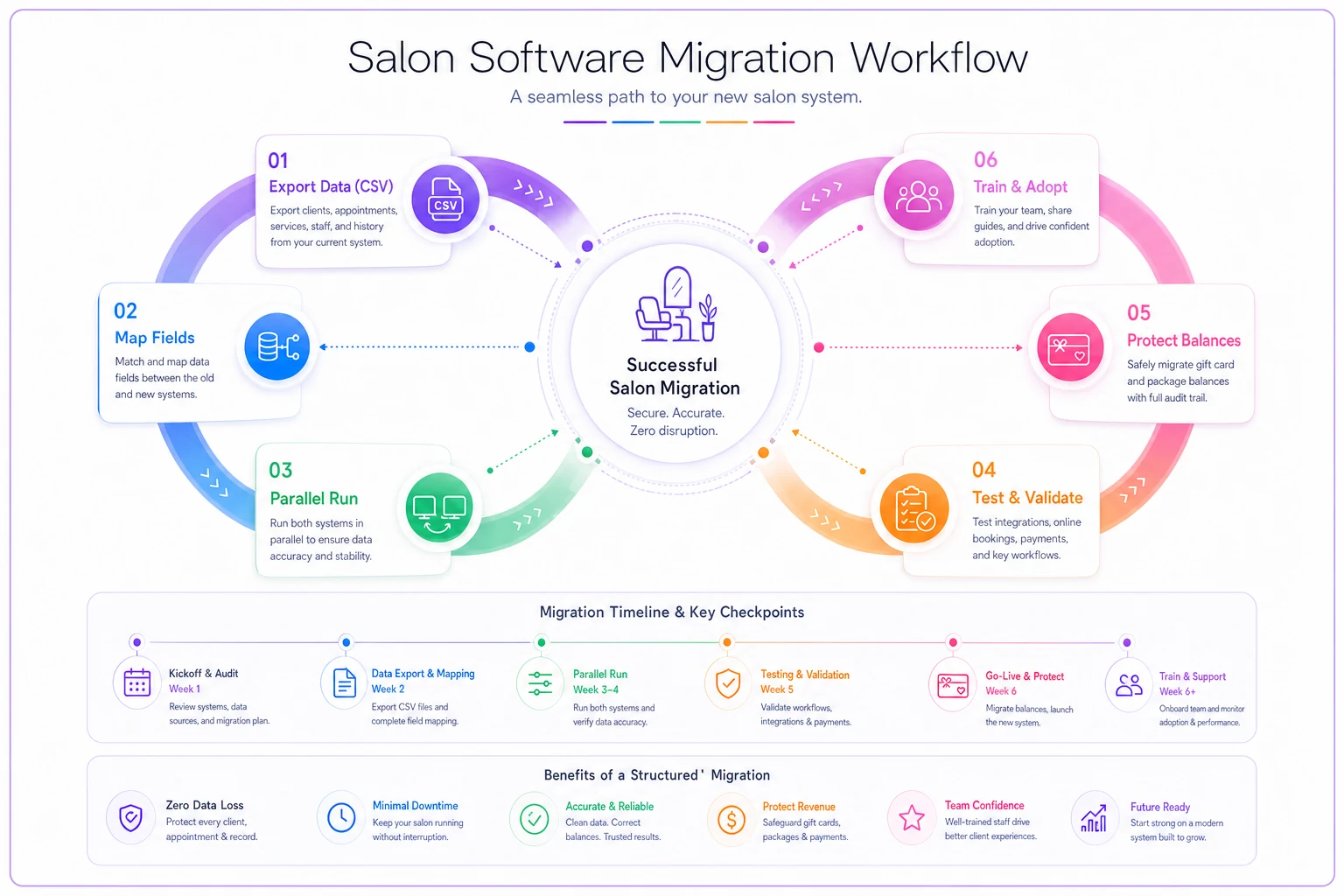
Common pitfalls: exporting the client list but forgetting visit history, underestimating how long staff take to trust the new calendar, and assuming integrations "just work" without testing the actual data flow.
Quick decision guide
Use this to pick a category to shortlist:
-
Solo / booth renter → Cloud-first appointment app.
-
Service-only, one location, small team → All-in-one boutique or cloud-first app.
-
Day spa with rooms/equipment → All-in-one boutique with real resource management.
-
Retail is 20%+ of revenue → POS-centric suite.
-
Three or more locations → Enterprise / multi-location platform.
If you land between two categories, shortlist one product from each and test them side by side on your actual weekly workflow — not the demo script.
FAQs
What's the difference between salon software and spa software? Functionally they overlap heavily. The practical difference is resource management: spas need to book rooms and equipment alongside staff, while salons are usually staff-and-chair based. Many platforms serve both — just confirm the room/resource logic if you run treatment spaces.
Do I really need an all-in-one, or can I stitch tools together? Solo operators often do fine stitching a booking app with a separate payment processor. Once you add staff, retail, and reporting, the reconciliation work of keeping separate tools in sync usually outweighs the savings.
How much should a small salon expect to pay? Entry tools run roughly $20–$40/month for one person; a small team on a mid-tier tool commonly lands between $130 and $250/month. Add transaction fees on top — those often matter more than the subscription.
Are transaction fees negotiable? Sometimes, especially at higher volumes or with enterprise platforms. Always ask. A half-percent difference on card processing can be worth thousands a year.
How long does switching software take? A solo migration can be done over a weekend. Multi-location moves realistically take several weeks, mostly because of data cleanup and staff adoption — not the technical import itself.
What's the most common mistake when choosing? Buying for the business you wish you had instead of the one you run today. The second most common is ignoring transaction fees and comparing only subscription prices.
Next steps
Start by naming your persona and category from the sections above — that eliminates most of the market immediately. Then build your own comparison row-by-row for the two or three products you'll actually trial, filling in trial availability, support quality, and real total cost from live demos.
When you're ready to run a structured evaluation, the practical buyer's checklist for single- and multi-location salons walks through exactly what to test during a trial and how to pressure-test each feature before you sign.
The goal isn't finding the "best" software. It's finding the tool built for the size and shape of business you run right now — and not paying for the one you don't.
Ready to simplify your salon operations?
Join 1,000+ salons using Salnly to save time, reduce scheduling chaos, and deliver better client experiences.